
SteamOS vs. Windows Handheld Gaming PC
The clearest same-hardware comparison in the category — the Legion Go S ships in both SteamOS and Windows versions — plus how the Steam Deck and ROG Ally X frame the wider trade-off.
Most handheld comparisons get muddied by different APUs, batteries and screens between the SteamOS and Windows options. The Lenovo Legion Go S removes that problem: it's sold in both SteamOS and Windows versions, on the same chassis, same Ryzen Z2 Go APU, same 8-inch screen and same 55.5 Wh battery. That makes it the cleanest evidence we have for what the operating system alone actually costs — or saves — you.
The result, per Notebookcheck's testing, wasn't close: the SteamOS Legion Go S ran faster, quieter and more efficiently than the Windows Legion Go S on the exact same hardware, with better suspend/resume too. We've paired that direct comparison with the Steam Deck OLED and ROG Ally X as the wider reference points for each OS.
The trade-off, plainly
SteamOS wins on efficiency and polish. Both the Legion Go S SteamOS build and the Steam Deck OLED are tuned specifically for handheld gaming — better battery life per watt of APU power, and suspend/resume that consistently works the way you'd expect a console to. That efficiency gap isn't theoretical; it's measured on identical Legion Go S hardware.
Windows wins on software breadth and hardware ceiling. A Windows handheld runs anything Windows runs — every PC storefront, not just Steam-compatible titles, plus productivity software if you want it. Windows handhelds like the ROG Ally X also currently offer connectivity SteamOS handhelds in our database don't match, like USB4/Thunderbolt with external GPU support.
The gap is narrowing, but it hasn't closed. Proton's compatibility layer covers most of the popular Steam library at this point, and Windows handhelds have gotten better at reducing desktop friction (the Xbox Ally line's Full Screen Experience is a direct response to this). But on hardware identical enough to isolate the variable, SteamOS still measurably outperforms Windows as of this compilation.
Which should you buy?
If your library lives on Steam and you value battery life and a console-like experience above software flexibility, a SteamOS handheld — the Legion Go S (SteamOS), or the Steam Deck OLED if you want the more polished, higher-brightness screen — is the stronger choice, backed by direct evidence from the identical Windows hardware running worse.
If you need software outside the Steam ecosystem, want Game Pass or other storefronts, or want features like USB4 eGPU support, a Windows handheld like the ROG Ally X is the more flexible option. Just go in aware that, chip-for-chip, you're trading some of SteamOS's efficiency for that flexibility — the Legion Go S comparison shows exactly how much.
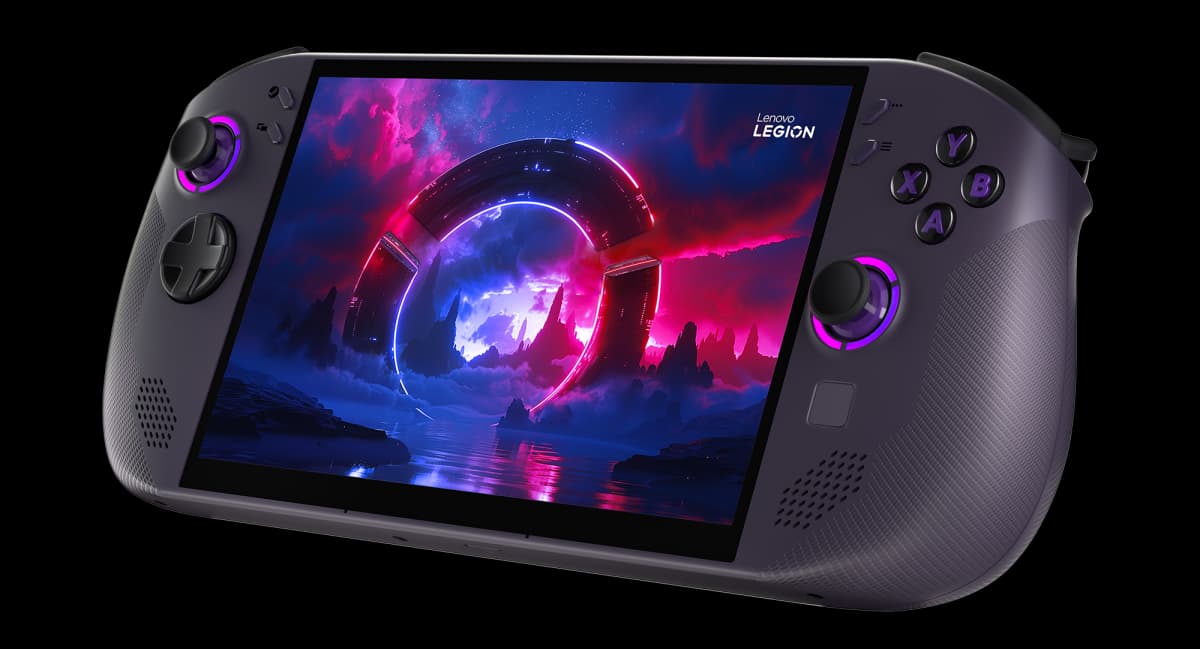
- 1Lenovo Legion Go S (SteamOS)
from $900
SteamOS8" IPS736 g55.5 WhThe clean SteamOS half of a direct comparison: identical hardware to the Windows Legion Go S, but Notebookcheck measured it running significantly faster, quieter and more efficiently, with better suspend/resume.
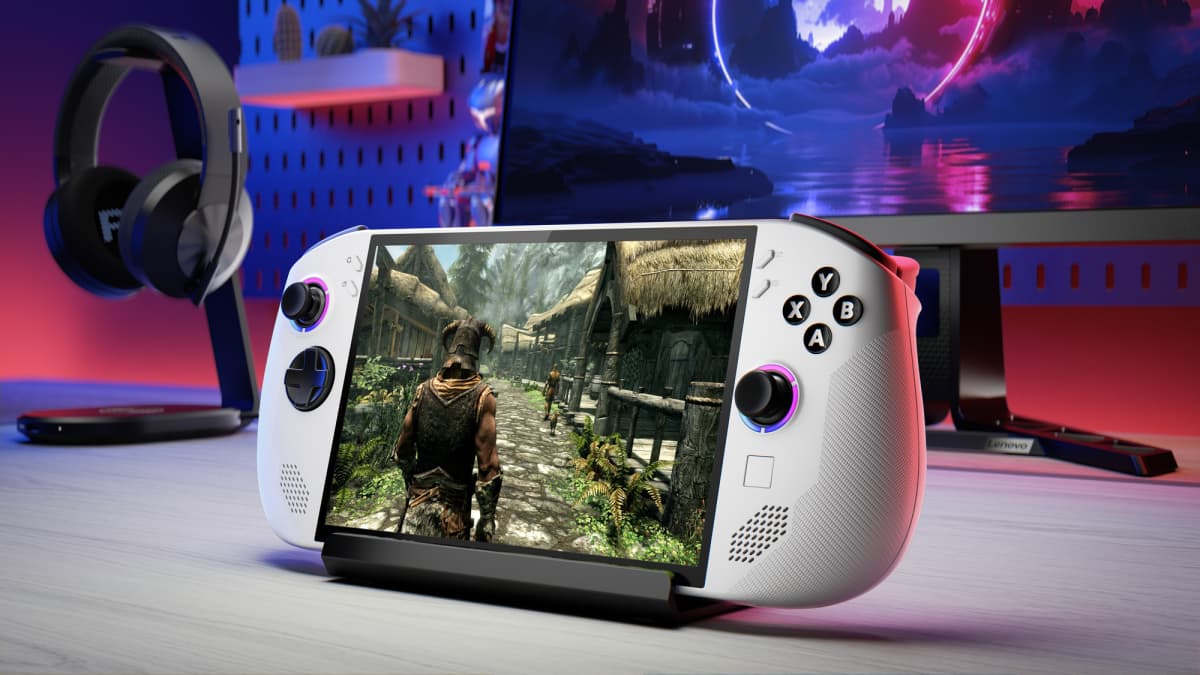
- 2Lenovo Legion Go S (Windows)
from $730
Windows 118" IPS738 g55.5 WhThe Windows half of the same chassis, same Ryzen Z2 Go APU, same 8-inch 120 Hz screen and 55.5 Wh battery — but reviewers were blunt that Windows leaves real performance on the table compared to the SteamOS version of this exact hardware.
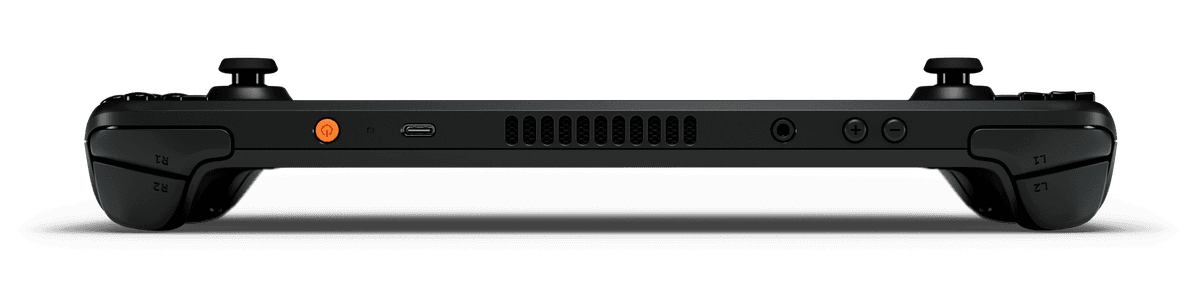
- 3Valve Steam Deck OLED
from $789
SteamOS7.4" OLED640 g50 WhThe SteamOS reference point beyond the Legion Go S comparison — a 90 Hz HDR OLED, twin trackpads and the most mature suspend/resume in the category, on a 50 Wh battery.
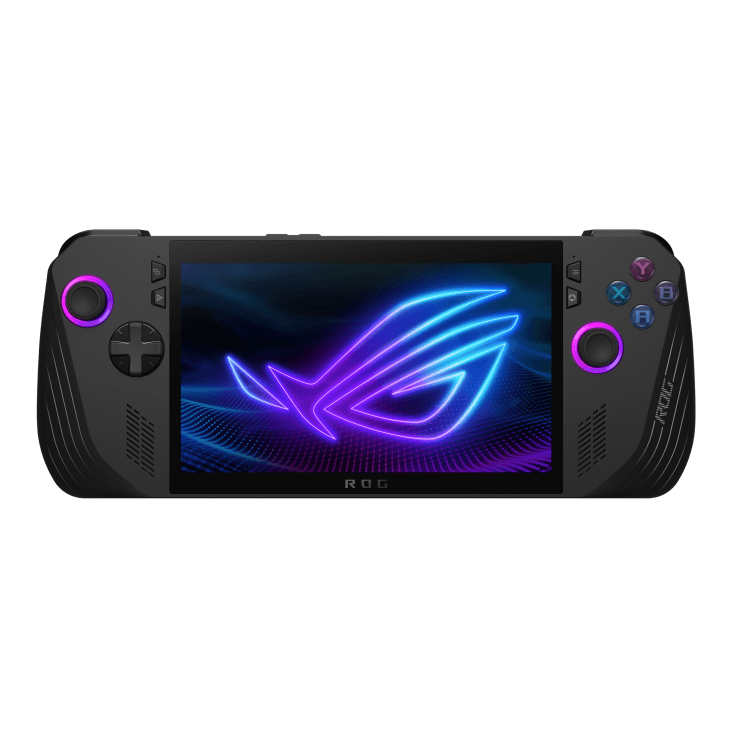
- 4ASUS ROG Ally X
from $800
Windows 117" IPS685 g80 WhThe Windows reference point: an 80 Wh battery, 24 GB RAM and USB4/Thunderbolt with eGPU support — capabilities no SteamOS handheld in our database currently matches, at the cost of Windows's usual suspend/resume friction.
Handheld prices are unusually volatile in 2026 due to a global memory-chip shortage — we show the best figure at our last check, but always confirm the live price at the retailer.
FAQ
Is SteamOS faster than Windows on the same handheld hardware?
On the one device where the comparison is directly possible — the Lenovo Legion Go S, sold in both OS versions on identical hardware — yes. Notebookcheck measured the SteamOS build running significantly faster, quieter and more efficiently than the Windows build, with better suspend/resume as well.
What does Windows offer that SteamOS doesn't?
Access to every PC storefront (Epic, GOG, Xbox app, Game Pass) rather than just Steam and compatible launchers, broader software compatibility generally, and — on devices like the ROG Ally X — higher-end connectivity like USB4/Thunderbolt with external GPU support that isn't currently matched by a SteamOS handheld in our database.
Should I buy a SteamOS or Windows handheld?
If your library and use case fit inside Steam (and Proton's growing compatibility layer), a SteamOS handheld like the Steam Deck OLED or Legion Go S will generally give you better battery life and a smoother suspend/resume experience for the same hardware. If you need software Steam doesn't support, or want features like USB4 eGPU support, a Windows handheld like the ROG Ally X is the more flexible choice — just expect some of the friction that comes with running full Windows on a handheld.
Why does the Legion Go S matter for this comparison?
It's the rare case in this category where the exact same hardware ships with both operating systems, which strips out every variable except the OS itself. That makes it the clearest evidence available for how much SteamOS's efficiency edge over Windows actually matters in practice, rather than a comparison muddied by different chips, batteries or screens.